Everything lands together
Photos, screenshots, videos, downloads, and duplicates pile into the same folders.
Private offline media sorting
NoLooky Image Sorter organizes messy folders by date, screenshots, videos, duplicates, and more - locally on your computer.
Your files stay on your PC. No uploads. No cloud scanning.
The mess
Photos, screenshots, videos, downloads, and duplicates pile into the same folders.
Many organizers expect uploads or cloud scanning before you can clean up private files.
Thousands of files are too much to review one-by-one when you just need a clean structure.
Walkthrough
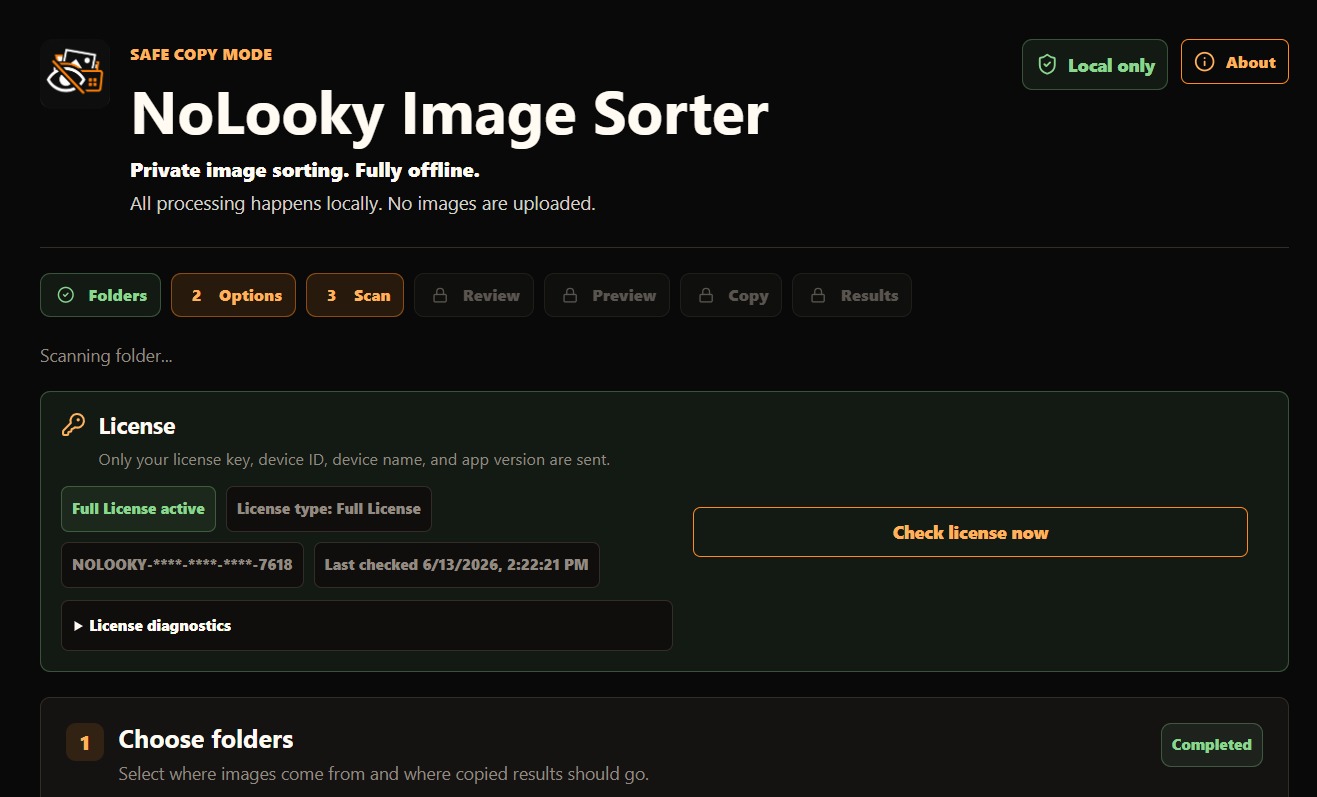
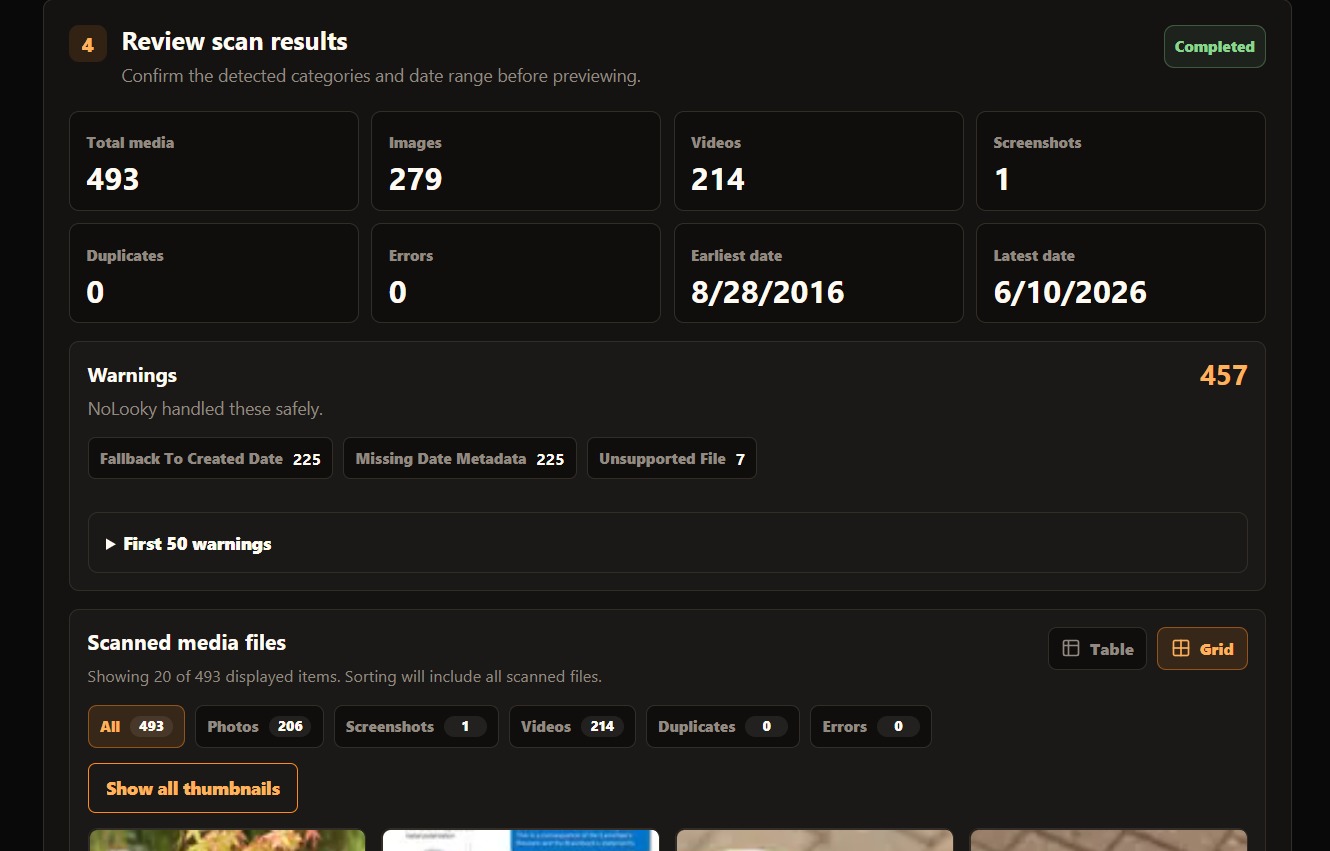
This walkthrough shows how NoLooky scans a folder, previews what it found, separates photos, screenshots, videos, and duplicates, then uses Safe Copy mode so your original files stay untouched.
The NoLooky workflow
NoLooky lets you choose an input folder and output folder, scan the files, preview the plan, then sort using Safe Copy mode so originals stay untouched.
Select the messy source folder and a clean destination.
Review detected dates, screenshots, videos, duplicates, and planned folders.
Copy files into organized folders while original files remain where they are.
Use reports and undo support if you want to reverse a sort.
Features
Organize files into clean date-based folder structures.
Separate screenshots from camera photos when cleaning phone backups.
Include videos in the same local sorting workflow.
Detect exact duplicate files before they clutter the output.
Sort without moving or deleting original source files.
Use the generated report to reverse a completed sort when needed.
Export reports for review, auditing, and later cleanup.
Processing happens locally on your Windows PC.
Privacy promise
NoLooky runs locally on your computer.
License activation only sends license key, device ID, device name, and app version.
Your file names, folder paths, images, videos, EXIF, and reports are not sent.
$0
$49 USD
FAQ
No. Images and videos stay on your PC.
Sorting works offline. Full License activation needs the backend once, then the app can continue offline.
Safe Copy mode keeps originals untouched and copies sorted files to your output folder.
Yes. NoLooky creates reports that support undoing a completed sort.
Yes. Video sorting is included.
You can scan and preview unlimited files, then sort up to 500 files.
Unlimited sorting, reports, CSV export, video sorting, duplicates, undo, and lifetime use.
Full License includes one device by default. Device limits are controlled per license.
No. The Full License is $49 USD one time.
Yes. NoLooky includes AI category sorting while still keeping your media processing local on your PC.
Start private